
Key Takeaways
- Gmail made a series of changes that are reshaping how opens get recorded—and who sees your emails at all.
- Gmail is deprioritizing senders who mail to unengaged audiences.
- Gmail's AI summaries and Gemini integration mean subscribers can extract value from your emails without ever opening them.
Is Gmail depressed, or is it just the open rates?
Email senders are reporting major drops in Gmail open rates over the past few months—some Validity customers are seeing quarter-over-quarter drops of 30 percent or more.
Validity’s own engagement data confirms it: Gmail image loading activity—including tracking pixels—dropped by roughly one third in late November 2025.

The likely cause? Industry experts speculate that Gmail reduced the frequency of image prefetching (including open tracking pixels), which has routed through their proxy servers since 2013.
Fewer prefetched pixels means fewer recorded opens, even if email readership hasn’t changed.
This analysis is probably correct, but it only scratches the surface of a broader issue.
To help senders prepare for the shift, we’ll recap Gmail’s recent developments, break down what’s driving the open rate decline, and tell senders what to do about it.
History repeating
Last year, Validity investigated similar engagement declines at Apple and Yahoo. At Apple, the engagement dip came from the introduction of functionality including inbox categories, digest view and groupings, and AI summaries. At Yahoo, stricter enforcement of previously introduced bulk sender requirements drove the impact.
Similarly, Gmail has introduced a series of inbox changes over the past two years, which have pushed senders to focus on mailing to active, engaged subscribers. And stricter enforcement of Gmail’s bulk sender requirements became effective in November 2025—so we almost certainly have a case of history repeating itself.
These developments almost certainly impact the open rate inflation that Apple Mail Privacy Protection (MPP) introduced in 2021.
Like Gmail, MPP also forces “false opens” by pre-loading emails via proxy servers. This causes artificial inflation of open rates, and many Gmail users access their Gmail accounts through Apple Mail apps.
These false opens are triggered if the emails are delivered successfully, regardless of whether users opened them or not.
So, many are generated by inactive subscribers, and still reported as opens.
Why it’s actually good news
Gmail’s focus on targeting engaged subscribers means fewer false opens—which is good news and explains why senders aren’t reporting similar declines in clicks and revenue.
However, open rates remain directionally useful, and senders shouldn’t suppress Gmail addresses based on open inactivity alone. Instead, continue to treat open rates as a health signal, where a sudden drop may provide early warning of a deeper underlying problem.
Without further ado, let’s dive into Gmail’s recent developments and their impact on open rates.
Increased enforcement of bulk sending requirements
While inbox placement rates at Gmail remain higher than most other major mailbox providers, there has been a marked drop over the past few months—approximately three percent according to the Validity Intelligence Network.
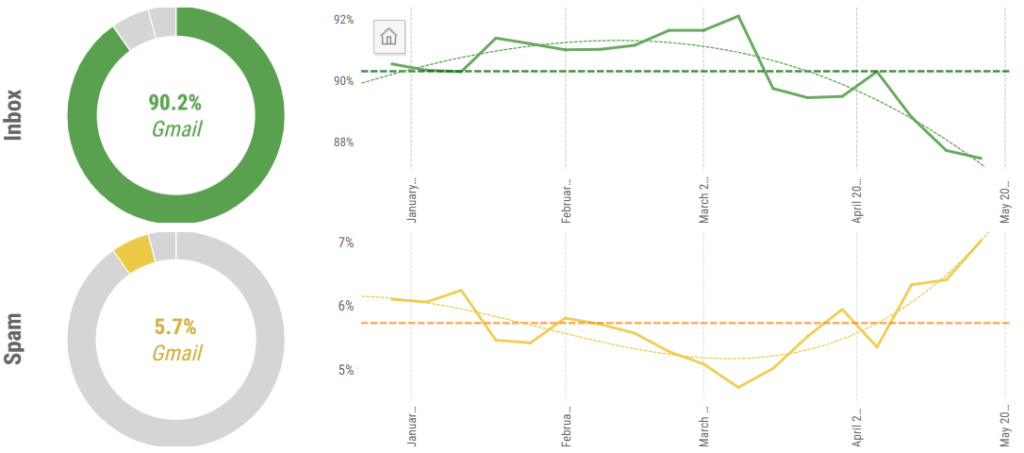
One likely cause is that in late 2025, Gmail moved from soft enforcement of non-compliant bulk email traffic to active rejection. This increased hard SMTP-level rejection codes. The effect on open rates is simple—rejected mails generate no opens at all.
How to respond
Senders should respond by reviewing their compliance with Gmail’s bulk sender guidelines. Review all elements—not just requirements for DMARC, list-unsubscribe, and complaints.
Use Google Postmaster Tools V2 to monitor the most important compliance status indicators and review bounce logs for Gmail error codes that specifically point to non-compliance to one or more of their requirements.
Relevance-sorted Promotions tab
Gmail now sorts the Promotions tab by engagement rather than recency. Lower engagement senders are placed further down the tab, where they are less likely to be seen (and opened).
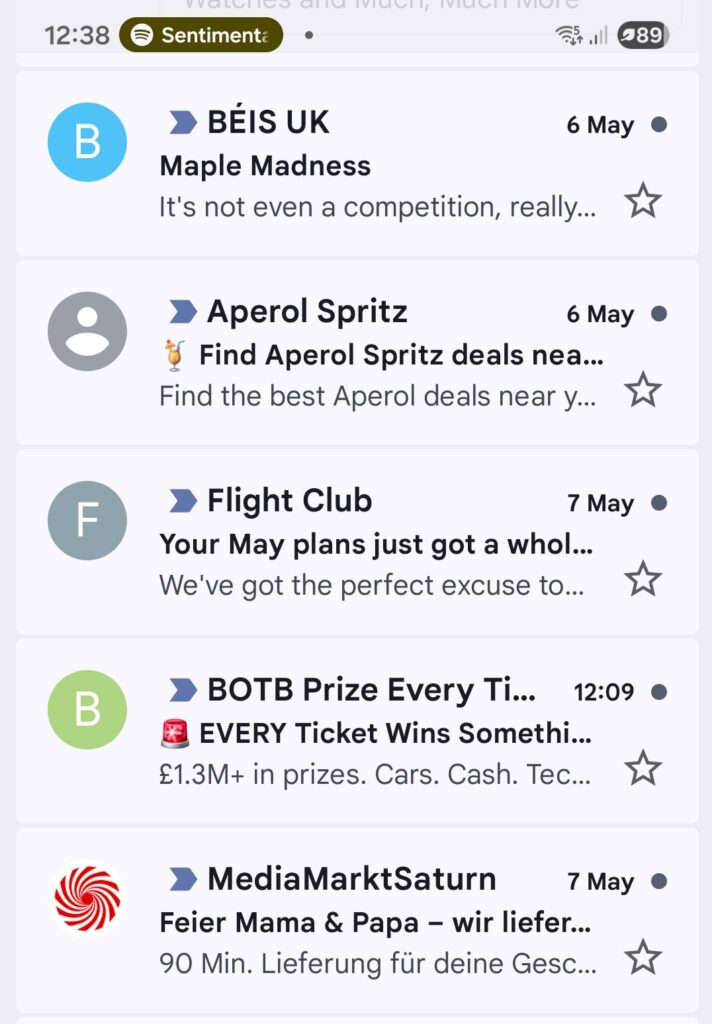
This will create a vicious circle over time—messages that aren’t opened will fail to generate positive engagement signals, further reducing the sender’s relevance. This change alone almost certainly accounts for a large part of the fall in open rates.
Personalization and content relevance now directly impact deliverability under this model—emails that recipients engage with consistently will be surfaced, and generic broadcast campaigns won’t.
How to respond
The obvious response is to suppress low-engagement Gmail segments, rather than sending to inactive subscribers who will damage relevance scores. Segment Gmail recipients by engagement recency and define more aggressive suppression thresholds.
Auto-Annotations
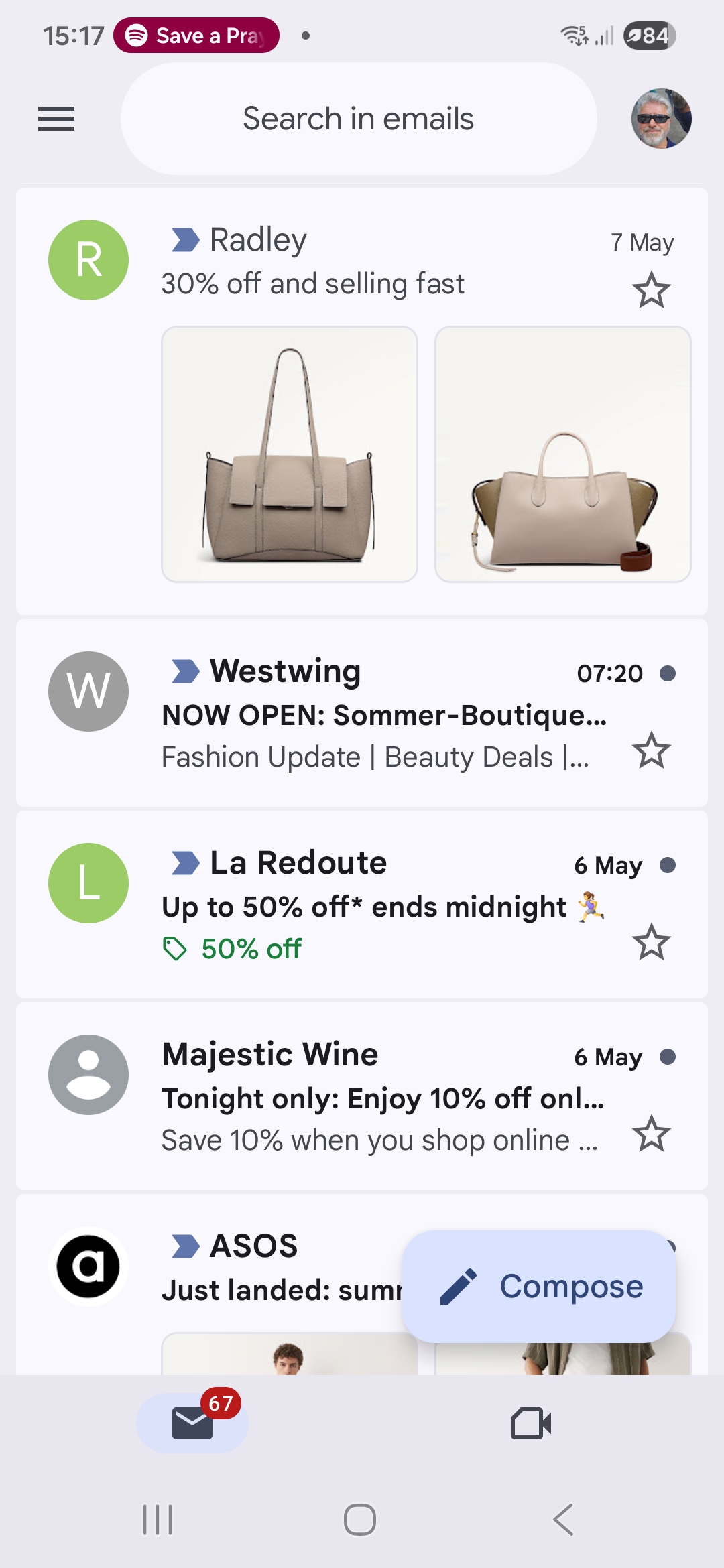
Gmail regularly extracts deal details, images, and discount codes from promotional emails to display as previews in the Promotions tab—even when senders haven’t implemented the Annotations markup schemas.
This means subscribers can see headline offers, product images, and promotional codes without even opening their emails. For an offer with a clearly communicated value proposition, the email itself has already done its job, removing the incentive to open it—creating obvious pressure on open rates.
How to respond
We recommend implementing Annotations rather than relying on automatic extraction. This will give senders full control over exactly what gets surfaced. Gmail provides comprehensive documentation on how to deploy annotations, single image previews, product carousels, and deal cards. Consider testing offers that require an actual click, rather than just surfacing a simple discount code in the preview.
Subscriptions manager
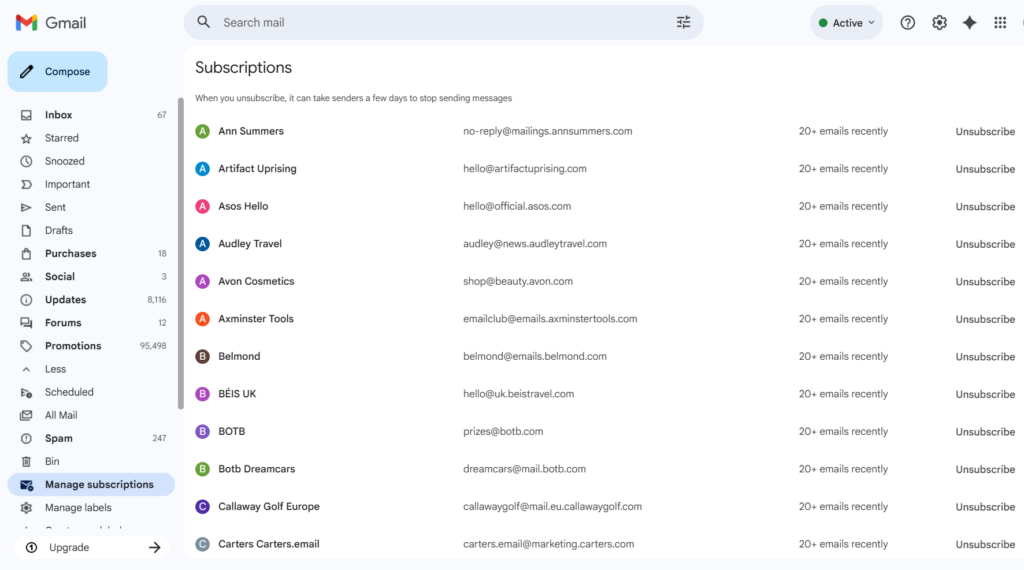
Launched in mid-2025 and now fully rolled out to personal Gmail accounts, Subscriptions Manager lists all marketing senders in a single dashboard, ranked by sending frequency.
Users can unsubscribe from any sender’s individual mail stream (see below) in a single click, without opening an email. Here, the impact on opens comes from list shrinkage, although it’s potentially a positive impact since the remaining list is smaller but more engaged.
How to respond
High sending frequency is the primary factor driving visibility in Subscriptions Manager, so brands that send daily or near-daily should decide whether they can reduce cadence without affecting revenue.
Brands using multiple “From” addresses for different content streams should ensure each address has a unique List-Unsubscribe header so that subscribers can opt down from specific streams rather than triggering a blanket removal.
AI-generated email summaries
Starting in January 2026, Gmail began rolling out AI-generated summaries.
These snippets display automatically when users open emails and surface 1-2 sentences that capture the key message.
The concern for open rates here is twofold. First, do AI summaries inflate open rates by auto-opening emails to summarize them? We’ve seen contradictory intelligence about this, so the jury is out for now.
Second, subscribers who get what they need from a summary have less reason to open the email at all.
How to respond
Senders should keep their most important content in the opening lines of the email body, since the summaries pull from the earliest readable text. Front-load value and spell out a clear next step in content—that’s what turns a summary into a click, not a replacement for one.
Integration of Gemini for inbox search and management
The January 2026 Gemini integration introduced conversational, natural-language search across the Gmail inbox, allowing subscribers to query their email history without opening individual messages.
For example, subscribers can ask questions like “What discount codes do I have for sportswear?” and receive answers compiled from multiple emails without opening any of them—representing another shift in how inbox behavior impacts opens.
How to respond
Senders whose emails contain time-sensitive content should structure that content to be clearly legible to AI extraction—using specific deadlines, named actions, structured data markup, and clean HTML.
Watch for changes in the ratio of opens among highly engaged versus lapsed segments— this feature is expected to disproportionately impact low-engagement senders by further reducing human interaction, resulting in a circle of disengagement.
Message clipping
This isn’t a new development, but it remains an important consideration for open rates. Gmail typically clips messages with HTML file sizes above 1,024 bytes.
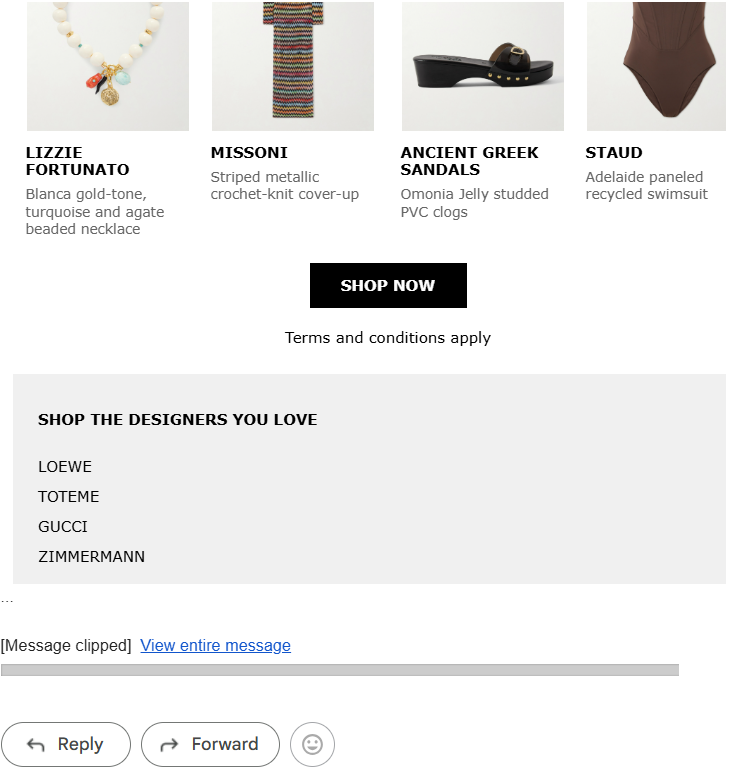
Content beyond this point isn’t displayed unless the reader specifically requests it. Many senders place their open tracking pixel at the end of the file, meaning it doesn’t trigger if Gmail clips the content.
There are also other implications as well—unsubscribe links are often located in email footers, meaning they often don’t get seen and increase spam complaint rates.
How to respond
Senders should review all email messages as part of their pre-send QA processes to ensure they don’t exceed Gmail’s 1KB clipping threshold.
We also recommend including the link to the open tracking pixel as early as possible in the HTML file.
Gmail email address change feature
We recently wrote about Gmail’s address change capability. When users change their address, any marketing emails sent to the previous address will no longer be delivered to an active, human-readable inbox, reducing opens from those addresses.
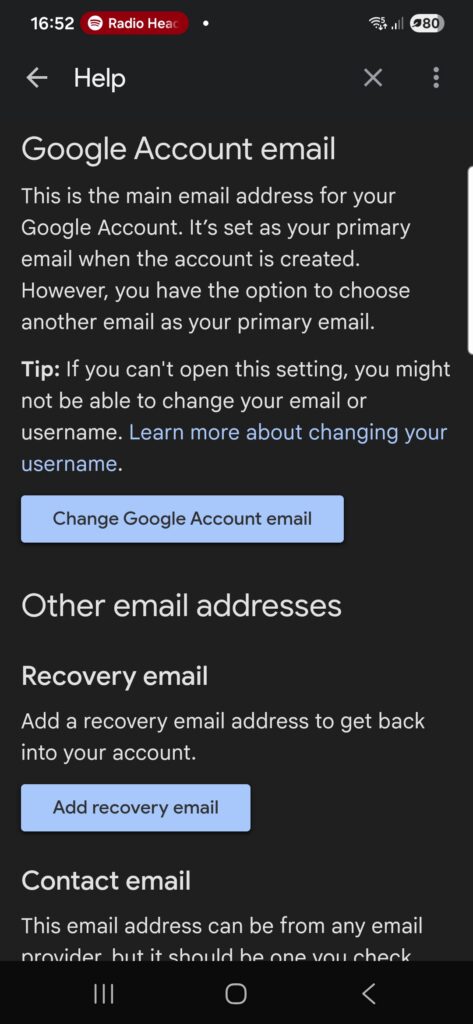
Furthermore, senders shouldn’t expect to see replacement opens from the new address—it will be entirely plausible that the subscriber changed address to stop receiving marketing emails and has no intention of opening them again.
How to respond
Senders should monitor hard bounces and sustained non-engagement from previously active Gmail addresses. Either may indicate that a sender has changed their address, and engagement-based suppression thresholds will catch these newly inactive addresses.
Senders should also develop strategies for relationship building that go beyond the email address, for example, loyalty programs, first-party identity resolution, and progressive profiling.
Purchases tab
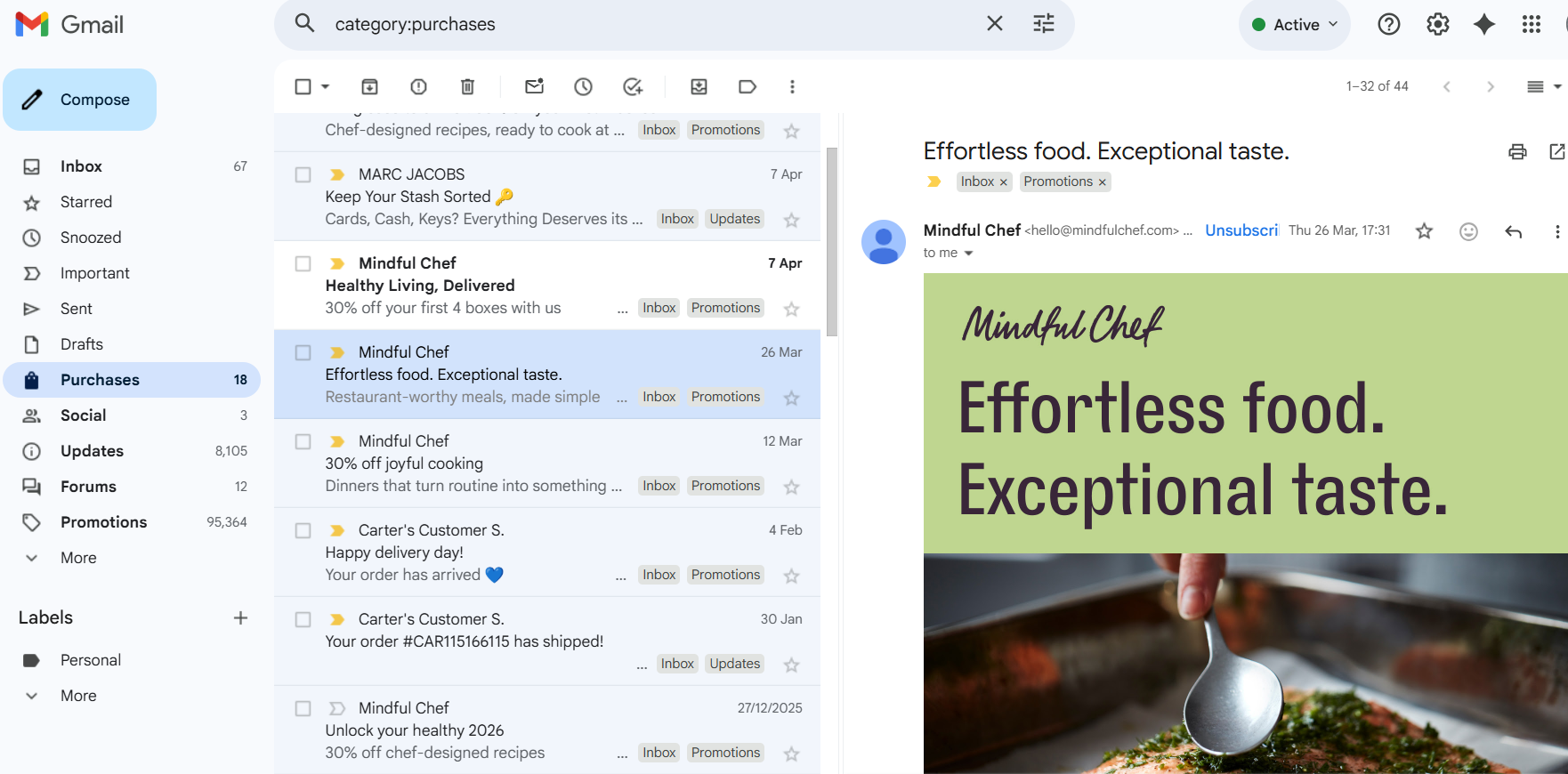
Gmail introduced a dedicated Purchases view in late 2025, consolidating order confirmations, shipping updates, and delivery notifications into a separate tab.
However, we’ve seen examples of marketing emails landing in this tab, often when these emails contain detailed content about delivery policies. This will depress open rates from subscribers who aren’t used to finding their messages in this tab, and may erode trust if recipients haven’t recently purchased anything from that brand.
How to respond
Senders should respond by auditing whether any of their promotional emails are inadvertently classified as purchase-related and routed to this tab.
Keep transactional and promotional streams clearly separated by using distinct “From” addresses, sub-domains, subject line conventions, and content structures. Keeping promotional content out of transactional emails to maintain correct routing and respect subscriber trust (and maintain legal compliance).
Inactive accounts
Finally, be aware that Google reserves the right to delete accounts that have been inactive for two years or more.
Per Google’s Inactive Account policy, activity includes reading or sending emails, using Google Drive, watching YouTube videos, sharing photos, downloading apps, using Google search, and using Google to sign in to a third-party app or service.
It should go without saying that inactive addresses won’t be opening emails!
How to respond
TBH, we really hope our readers suppress addresses long before they hit 24 months of inactivity, so consider this a public service announcement—just in case!
The bottom line
Gmail isn’t broken—it’s evolving. The senders who treat these changes as a signal to sharpen their strategy, not panic about their metrics, will come out ahead.
Focus on engagement quality over volume, get your compliance house in order, and stop optimizing for opens as a vanity metric.
To learn more about Gmail’s most recent developments and how they impact your email program, watch the latest State of Email Tactics webinar—where we’ll go hands-on with AI summaries, covering design tweaks, testing tools, and real results from inbox tests.